 Free & open source · Based on Bazzite
Gaming with the comfort of Windows.
The freedom of Linux.
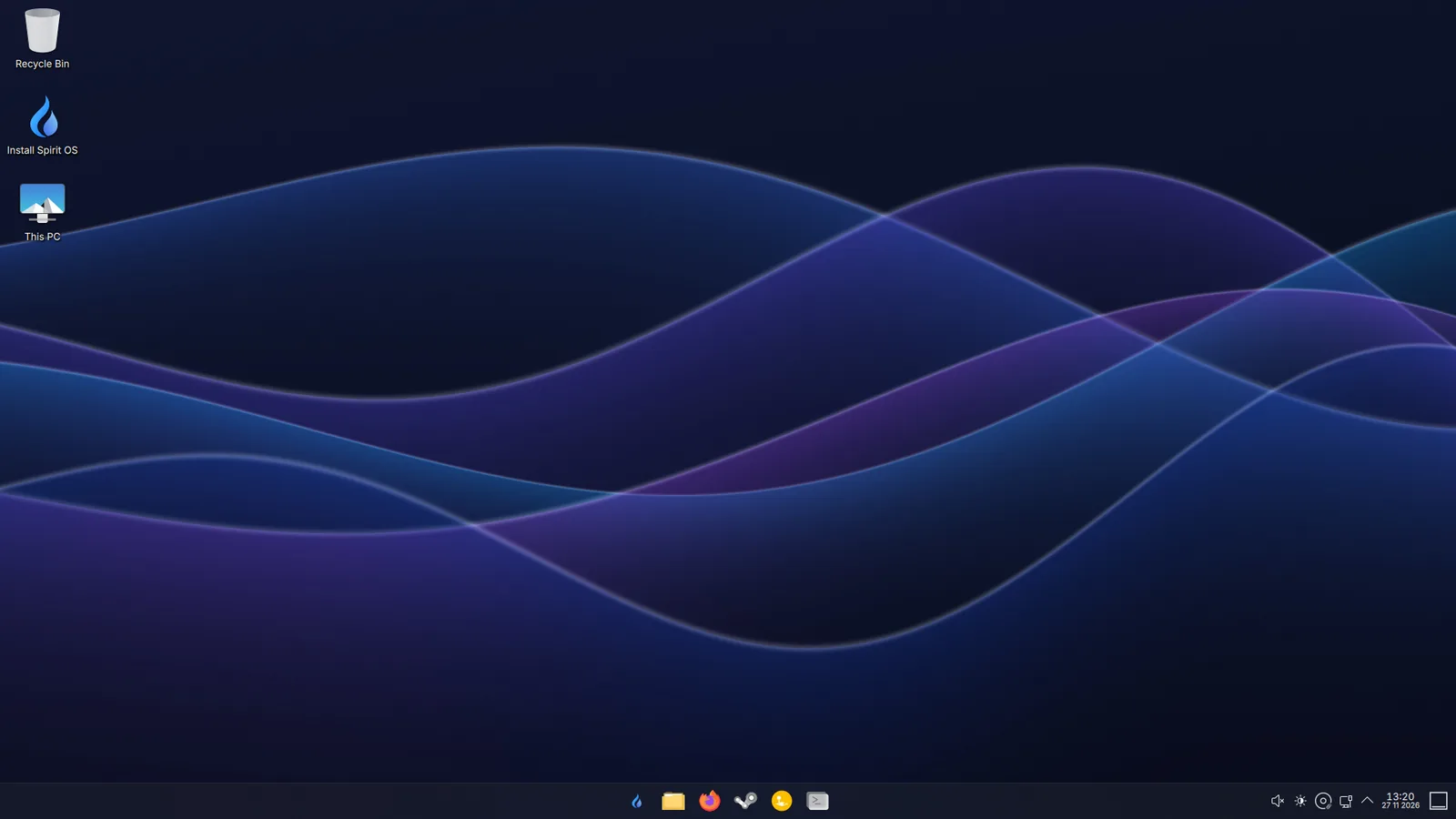
Spirit OS looks and works like Windows 11, opens your Windows programs with a double-click, and comes with Steam, drivers and everything for gaming already installed. No setup. No tinkering. It just works.
Games
Play your favorite games
Steam is ready on the taskbar, with Proton to run Windows games. Lutris and Heroic bring in Epic, GOG, EA, Ubisoft, Battle.net and your old CDs. Controllers work when you plug them in, and HDR, variable refresh rate and the newest graphics drivers are already set up.
- Steam, Lutris, Heroic and ProtonPlus pre-installed
- MangoHud, gamescope, GameMode and one-word launch options
- Newest DLSS for NVIDIA with
spirit-dlss, FSR 4 for AMD
Is your game compatible? Check ProtonDB and Are We Anti-Cheat Yet.
Gaming guideWindows programs
Double-click an .exe. That's it.
Installers show their own wizard and the program lands in the Start menu, like on Windows.
Each program sees drives C:, D: and E:, and File Explorer understands paths like
C:\Users\you\Documents or %APPDATA%.
Something tricky? Right-click it: run it as a game through Proton, or give it a C: drive of its own.
How Windows programs work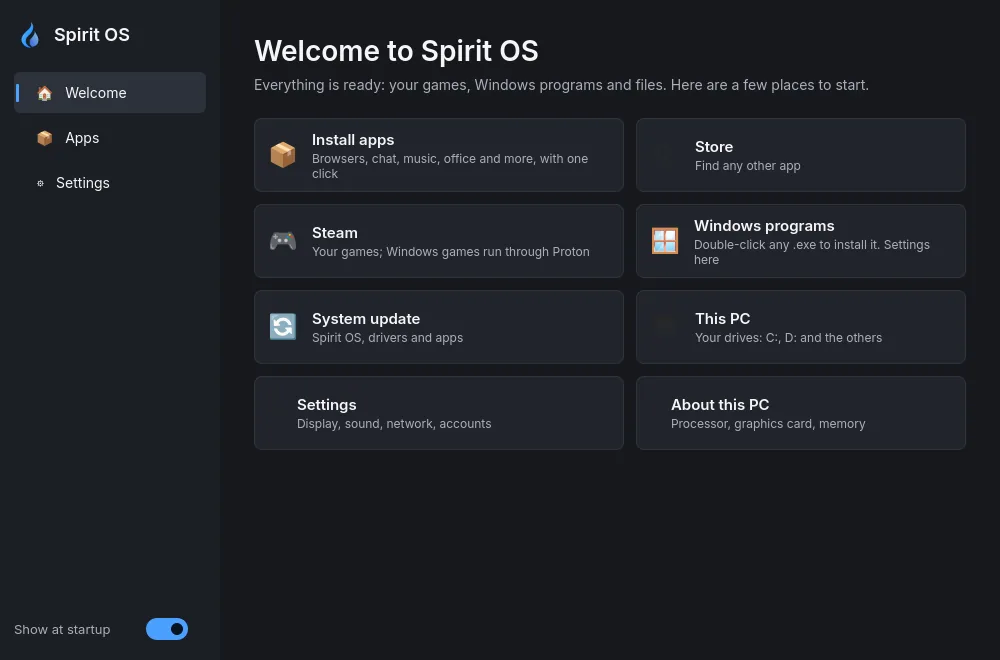
Updates
Upgrade fearlessly
The whole system is replaced as one piece, and the previous version always stays on your computer. If an update gives you trouble, pick the previous one when you switch on. That's all.
Always current
When Bazzite releases a new version, your Spirit OS builds itself again on top of it at night and starts it with the next restart.
Same drivers as Bazzite
Kernel, graphics drivers and firmware are exactly Bazzite's. If an update would change them, it stops and your system stays as it is.
One step back
Every update keeps the version before it. Choose it in the start menu, or run sudo bootc rollback.
Security
Secure by design
The system files are read-only, so neither a bad program nor a wrong command can damage them. Updates start from signed Bazzite images, and every signature is checked before anything is installed.
- Full-disk encryption with a start-up password (LUKS2), like BitLocker
- Secure Boot support with Universal Blue's signed kernel
- Apps from Flathub run in a sandbox
- No diagnostic data is sent by Spirit OS
Hardware
Works with your hardware, not against it
Nothing to download, nothing to install. The drivers come from Bazzite, which supports more hardware out of the box than almost anything else.
Graphics
The newest Mesa drivers for AMD and Intel, and NVIDIA's own driver in the NVIDIA edition. Video acceleration included.
Controllers
Xbox, PlayStation, Switch, 8BitDo, steering wheels and many more work as soon as you plug them in.
Everything else
Extra Wi-Fi drivers, DisplayLink docks, RGB, laptops from ASUS and Framework, printers and more.
Apps
Run your favorite
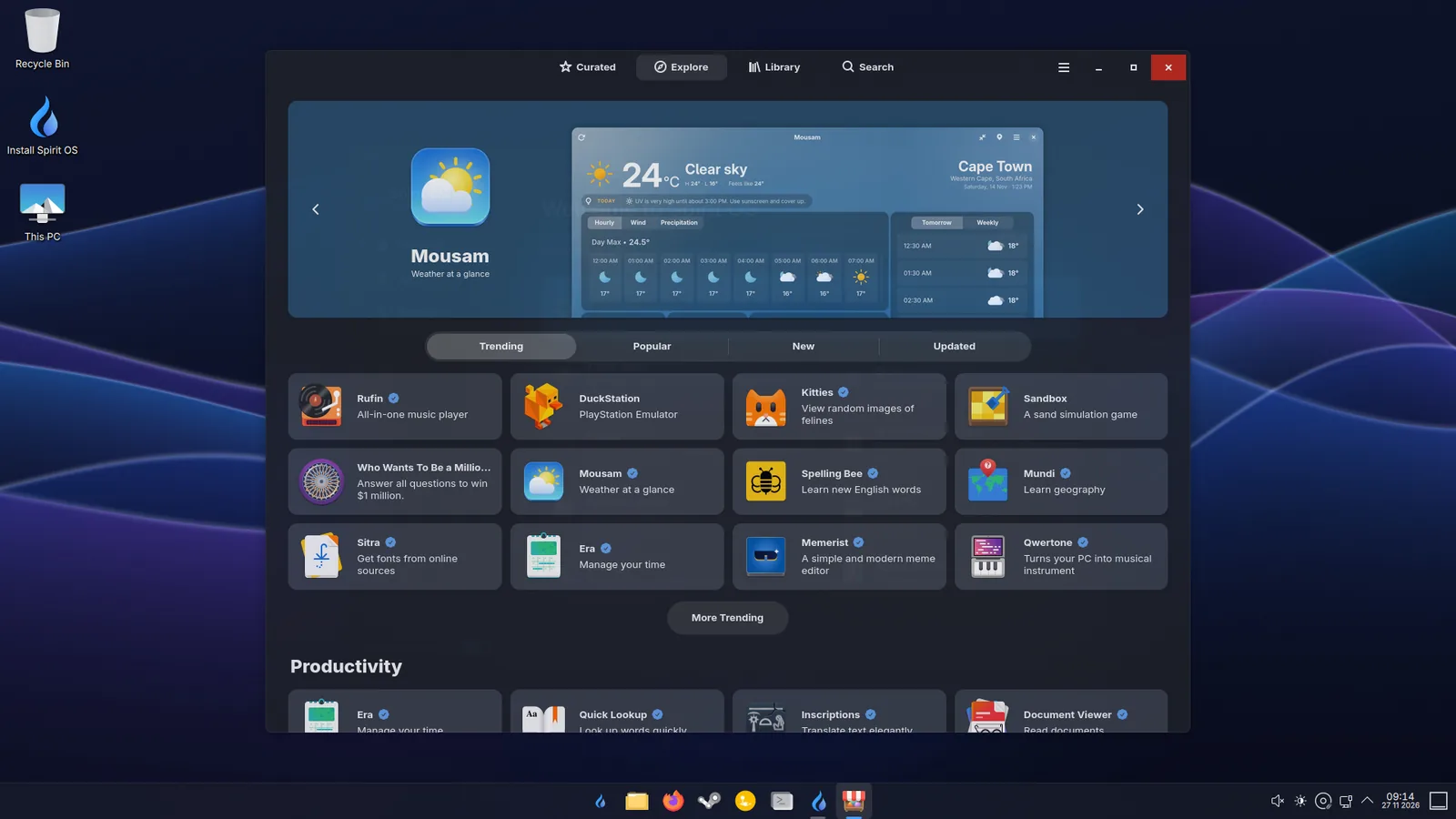
The Store has thousands of apps from Flathub: browsers, chat, music, office, video editing and games. Search, click Install, done. The Welcome window even has a list of popular apps to tick.
Need something from Ubuntu, Arch or Fedora? Distrobox runs it in a container that feels native,
with your files, graphics and sound. apt, pacman and the AUR are one command away.
Homebrew for command-line tools, Wine and Proton for Windows software, Waydroid for Android apps, and virtual machines. If it runs on a PC, there is a way.
Languages
Speaks your language
Pick your language on the first page of Setup and the installed system starts in it, with your keyboard layout. Setup, the Welcome window, the desktop and Firefox are all translated, in both editions. The desktop speaks 45 more languages on top.
- English
- Română
- Deutsch
- Français
- Español
- Italiano
- Português
- Português (Brasil)
- Nederlands
- Polski
- Čeština
- Magyar
- Svenska
- Dansk
- Suomi
- Norsk bokmål
- Türkçe
- Ελληνικά
- Українська
- Български
Community & Docs
Help is one click away
Documentation
Installing, using Spirit OS, gaming, Windows programs and fixing problems, step by step.
Read the docsTerminal commands
Every command you can use on Spirit OS, from spirit-theme to the whole ujust toolbox.
FAQ
Is it free? Can I keep Windows? Do I need drivers or antivirus? Quick answers.
Read the FAQSpirit OS is free and open source. Report problems, follow the work or help build it:
Built on Bazzite
The kernel, the drivers, the gaming tweaks and the update system of Spirit OS come from Bazzite, made by the Universal Blue community. Supporting them supports Spirit OS too.
Download
Get Spirit OS
Free and open source. Version 45.20261125, based on Bazzite 45.20261125.
1 What graphics does your computer have?
Not sure? On Windows: right-click Start → Device Manager → Display adapters. Laptops with both Intel/AMD and NVIDIA: choose NVIDIA. More in System requirements.
2 Download
SHA-256 checksum
a743d4e5ba27ef3af61d597b8ba464782305b7bc931905eb4bffd7555fa46bc8
3 Install
- Write it to a USB stick of 16 GB or more (Rufus: DD Image mode).
- Start the computer from the stick and try Spirit OS without installing.
- Double-click Install Spirit OS and follow Setup. You can keep Windows.
2 Download
SHA-256 checksum
de0f536514e845baa5e36d7b0a2246cd2e4c8928a33b84a4b3b02ef93411049a
3 Install
- Write it to a USB stick of 16 GB or more (Rufus: DD Image mode).
- Start the computer from the stick and try Spirit OS without installing.
- Double-click Install Spirit OS and follow Setup. You can keep Windows.
Enjoying Spirit OS?
It is free and made in spare time. A coffee helps keep it going.
Already using Spirit OS? It updates itself. See Updates. Needs a 64-bit computer with UEFI, 8 GB of memory and 64 GB of disk space.